
FeedbackRipple vs Culture Amp: 360 Feedback, Pricing & More (2026)
FeedbackRipple vs Culture Amp: 360 Feedback, Pricing & More (2026)
Choose FeedbackRipple if 360 feedback is what you need: it does that one job in depth, with AI setup, a report that says what to try next and Lucy, an AI coach for 90 days, and you pay only for the people you review, from $49. Choose Culture Amp if you want engagement surveys, performance reviews, goals and 360s from one vendor, and you’re ready for a company-wide annual contract.
Comparing FeedbackRipple and Culture Amp is a little like comparing a specialist with a general practice. Culture Amp is a broad employee experience platform, known for engagement surveys and benchmarks, with performance reviews, 360s and development in its Perform module. FeedbackRipple is a 360-only tool.
That changes what you pay for. Culture Amp is quoted per employee across your company, so reviewing 30 managers in a 200-person company means a quote for 200. FeedbackRipple charges only for the people who get a 360. The right choice depends on whether you need the whole platform or excellent 360s.
We compared them on nine things:
- What you buy
- Setting up a 360
- The rater experience
- Anonymity
- The report
- Follow-through after the report
- AI and analytics for HR
- Security and enterprise readiness
- Pricing
Key takeaways
- FeedbackRipple wins 6 of 9 categories, all about the 360 itself. Culture Amp wins scope, HR analytics and enterprise readiness.
- Culture Amp doesn’t publish prices; buyer guides estimate a minimum of about $4,500 a year. FeedbackRipple’s Team plan is $1,069 a year for 30 people.
- Culture Amp has strong AI for HR, like AI Coach and comment summaries. FeedbackRipple’s AI focuses on the 360: setup, rater comments, report guidance and follow-up.
- FeedbackRipple doesn’t run engagement surveys or performance ratings. Many companies use both.
In this comparison
Disclosure: FeedbackRipple publishes this comparison. Culture Amp wins three categories here, and we say plainly where it’s the better choice. Culture Amp details come from its website, product updates and support articles, checked on 18 November 2026. Culture Amp may offer options it doesn’t list publicly, so confirm in a demo.
Comparison summary: FeedbackRipple vs Culture Amp
| What to compare | FeedbackRipple | Culture Amp |
|---|---|---|
| What it is | 360 feedback and development | Engagement, performance and development platform |
| Best for | Coaches and HR teams who want excellent 360s without a platform contract | Companies that want surveys, reviews and 360s from one vendor |
| How you pay | Per person reviewed; raters free | Annual contract, quoted per employee and module |
| Published prices | Yes, from $49 per person | No; about $4,500 a year minimum (third-party estimate) |
| Free trial | First 3 people, no card, no time limit | Demo on request |
| Engagement surveys | No | Yes, a core strength |
| 360 types | 5 templates, 82 library questions, or your own | Individual, Leadership and Manager 360s |
| AI | Drafts 360s, comment helper, report guidance, HR insights, Lucy coach | AI Coach, comment summaries and comparisons, sentiment topics |
| Follow-through | Lucy check-ins at 30, 60 and 90 days; impact survey on each goal | Development plans; run another 360 later |
| Integrations | BambooHR, HiBob, Workday, Slack, Fireflies | Wide HRIS integrations, Slack, Microsoft Teams, SSO |
Winners at a glance
| Category | Winner | Why |
|---|---|---|
| What you buy | Culture Amp | Engagement, reviews, goals and 360s in one place |
| Setting up a 360 | FeedbackRipple | A 360 drafted from one sentence |
| Rater experience | FeedbackRipple | Comment helper, Need help button, 15 languages |
| Anonymity | FeedbackRipple | Built into how answers are stored |
| The report | FeedbackRipple | What to try in the next 30 days, after every result |
| Follow-through | FeedbackRipple | Lucy and a 90-day impact survey |
| AI and analytics for HR | Culture Amp | AI Coach, benchmarks and people analytics |
| Enterprise readiness | Culture Amp | Certifications, SSO and a long enterprise record |
| Pricing | FeedbackRipple | Pay only for people reviewed, prices published |
What is FeedbackRipple?
- Starting price: Free for 3 people, then $49 per person
- Best for: Coaches, HR and L&D teams
- Scope: 360 feedback and development
FeedbackRipple is 360 feedback software that tells people what to do next. Built by a certified executive coach, it focuses on one job: AI that drafts each 360, a survey raters finish, a report with clear next steps, and Lucy, an AI coach that follows up for 90 days. You pay per person reviewed, with raters and questions unlimited.
What is Culture Amp?
- Starting price: Quote; about $4,500/yr minimum (estimate)
- Best for: Mid-size and large companies
- Scope: Engagement, performance, development
Culture Amp, founded in Melbourne in 2011, is one of the best-known employee experience platforms. It’s sold in modules: Engage for engagement and pulse surveys with benchmarks, and Perform for performance reviews, 360s, goals, 1-on-1s and development. Its 360 surveys come as Individual, Leadership and Manager templates designed for development, with an optional coach.
FeedbackRipple vs Culture Amp: what you buy
Culture Amp covers far more of HR: engagement surveys, reviews, calibration, goals and 360s. FeedbackRipple covers 360 feedback only, in more depth.
If you want one login and one contract for engagement surveys, performance reviews and 360s, Culture Amp is the simpler choice, and its engagement benchmarks are a real strength. FeedbackRipple doesn’t run engagement surveys, ratings for pay or calibration, on purpose: it keeps 360s for development. Many companies keep their engagement tool and add FeedbackRipple for 360s.
Winner: Culture Amp
FeedbackRipple vs Culture Amp: setting up a 360
Both offer ready-made 360 templates and let employees or admins choose reviewers. FeedbackRipple can draft the whole 360 from one sentence.
In Culture Amp, an admin or the employee picks reviewers, using its Individual, Leadership or Manager 360 templates. In FeedbackRipple, you can describe the 360 (“a new manager 360 for Maya, focused on delegation, closing in 3 weeks”) and get the questions, raters and deadline drafted for you to check, with raters suggested from BambooHR, HiBob or Workday. Nothing is sent until you launch.
Winner: FeedbackRipple
FeedbackRipple vs Culture Amp: rater experience
Both guide raters through the survey. FeedbackRipple adds a comment helper focused on anonymity, a Need help button and 15 survey languages.
Culture Amp’s AI Coach can help people write peer and upward feedback during performance review cycles. FeedbackRipple’s comment helper is built for anonymous 360s: it points out comments that might reveal who wrote them, need an example or might land badly, and the rater always decides. Raters go one section at a time and can answer short surveys in Slack.
Winner: FeedbackRipple, narrowly
FeedbackRipple vs Culture Amp: anonymity
Culture Amp uses reporting thresholds. FeedbackRipple merges groups under 3, stores answers with no link to the rater and keeps reports with the person by default.
Both hide results from groups that are too small. FeedbackRipple goes further: each set of answers is saved under a one-way code with no link to the rater, and confidential mode, on by default, keeps admins to progress counts. That matters most when people rate their manager. Read how anonymity works.
Winner: FeedbackRipple
FeedbackRipple vs Culture Amp: the report
Both show strengths and areas to develop. FeedbackRipple explains each result in plain words and says what to try in the next 30 days.
Culture Amp’s 360 report shows strengths and areas to develop, with guides to taking action and an optional coach to discuss it. FeedbackRipple’s report shows top 5 strengths and areas to improve, blind spots and hidden strengths, comments by relationship and a pre-filled development plan, with why each area matters and how the person will know it’s working. See the feedback report.
Winner: FeedbackRipple
FeedbackRipple vs Culture Amp: follow-through
Culture Amp links 360s to goals and development plans in its platform. FeedbackRipple adds Lucy’s 90-day check-ins and an impact survey on each goal.
In FeedbackRipple, each person can ask Lucy what their results mean, pick 2 or 3 focus areas and build a plan. Lucy checks in at 30, 60 and 90 days, and colleagues re-rate each goal later, so you can see whether behavior changed. Admins never see the plan or the chat. Culture Amp’s development tools are broader but don’t measure change on each 360 goal in the same way.
Winner: FeedbackRipple
FeedbackRipple vs Culture Amp: AI and analytics for HR
Culture Amp has mature analytics, benchmarks and AI Coach across surveys and performance. FeedbackRipple’s HR insights cover 360 results only.
Culture Amp’s AI Coach helps managers and HR understand survey results and write reviews, with AI comment summaries, comparisons and sentiment topics, plus engagement benchmarks and people analytics. FeedbackRipple’s Team plan lets HR ask plain questions about grouped 360 results and drafts L&D recommendations, never from one person’s answers. See HR insights.
Winner: Culture Amp
FeedbackRipple vs Culture Amp: security and enterprise readiness
Culture Amp is an established enterprise vendor with security certifications and SSO. FeedbackRipple is new and doesn’t hold certifications yet.
Culture Amp has served large companies since 2011, with enterprise security, SSO and broad integrations. FeedbackRipple runs on AWS in Sydney, doesn’t train AI on your data and supports Google and Microsoft sign-in, but SAML SSO and certifications are still to come.
Winner: Culture Amp
FeedbackRipple vs Culture Amp: pricing
Culture Amp is quoted per employee across your company. FeedbackRipple charges only for the people who get a 360, from $49.
| Scenario | FeedbackRipple | Culture Amp |
|---|---|---|
| A coach running 12 client 360s | $469 a year (Coach) | Not designed for buying per client |
| 10 leaders in a 150-person company | $490 (10 × $49) | Quote for 150 employees |
| 30 managers in a 200-person company | $1,069 a year (Team) | Quote for 200 employees |
| 120 people in a 1,000-person company | $3,679 a year (Team + 90 × $29) | Quote for 1,000 employees |
Culture Amp doesn’t publish prices; a third-party guide (Compono) estimates a minimum of about $4,500 a year. A Culture Amp quote usually covers more than 360s, so compare the full value if you’d use those modules.
Winner: FeedbackRipple
FeedbackRipple · First 3 people free
360s without a platform contract
Run a real 360 with 3 people today. No implementation project, no card, no time limit.
FeedbackRipple vs Culture Amp: pros and cons
FeedbackRipple
Pros
- Pay only for people reviewed, from $49
- A 360 drafted from one sentence
- Guidance on what to try next in every report
- Anonymity built into how answers are stored
- Lucy and a 90-day impact survey
- Live the same day, no implementation
Cons
- No engagement surveys or performance reviews
- HR analytics cover 360s only
- No security certifications or SAML SSO yet
- A newer product with no review-site ratings yet
Culture Amp
Pros
- Engagement, performance and 360s in one platform
- Strong engagement benchmarks and people analytics
- AI Coach and AI comment summaries
- Established enterprise vendor since 2011
Cons
- No published prices; company-wide contract
- You pay for every employee, not just people reviewed
- More to roll out than a 360-only tool
- Not built for coaches buying per client
Final verdict: FeedbackRipple vs Culture Amp
FeedbackRipple is best for coaches and HR teams that need excellent 360s now and want to pay only for the people they review. Culture Amp is best for companies that want engagement surveys, reviews and 360s on one platform and can commit to a company-wide contract.
Use Culture Amp if…
- You want engagement surveys, reviews and 360s in one place
- You’re ready for an annual, company-wide contract
- You want engagement benchmarks and people analytics
- You need enterprise certifications and SSO today
Use FeedbackRipple if…
- 360 feedback is what you need right now
- You only want to pay for the people you review
- You want people to know what to do next
- You want AI to set up 360s, with you in control
- You’re a coach or a small HR team
How we compared
We used Culture Amp’s website, product updates and support articles, and a third-party pricing guide, checked on 18 November 2026, and our own product and pricing for FeedbackRipple.
Sources: Culture Amp’s approach to AI · Culture Amp product updates · Culture Amp pricing guide (Compono). Culture Amp is a trademark of its owner; FeedbackRipple isn’t affiliated with it. Spot something out of date? Email hello@feedbackripple.com.
More comparisons
- FeedbackRipple vs Lattice
- FeedbackRipple vs Spidergap
- FeedbackRipple vs EchoSpan
- FeedbackRipple vs SurveyMonkey and Google Forms
- 9 best Culture Amp alternatives, with prices and ratings
- 12 best 360 feedback software tools for 2026
First 3 people free · No credit card
Run a 360 people actually act on
Anonymous by design, a report that says what to do next, and Lucy to follow up for 90 days. Pay only for the people you review.

FeedbackRipple vs EchoSpan: Features, Pricing, Add-ons & More (2026)
FeedbackRipple vs EchoSpan: Features, Pricing, Add-ons & More (2026)
Choose FeedbackRipple if you want a 360 tool that’s quick to run, with published prices and AI, report guidance and 15 languages included on every plan, plus Lucy, an AI coach that follows up for 90 days. Choose EchoSpan if you run a large, complex program that needs 100+ languages, conditional logic, benchmarks, an API, SSO or vendor project management.
FeedbackRipple and EchoSpan are both dedicated 360 feedback tools, priced around the people you review rather than every employee. Both offer development planning, anonymity rules and AI help. And both are used by HR teams, L&D and executive coaches.
The difference is philosophy. EchoSpan, focused on 360s since 2005, is built to be configured: three editions, hundreds of report options and paid add-ons you switch on as needed. FeedbackRipple is built to be simple: one way of working that bakes in 360 best practice, with everything included and prices on the page.
We compared them on nine things that decide whether a 360 works:
- Setting up a 360
- The rater experience
- Languages
- Anonymity
- The report and AI insights
- Follow-through after the report
- Configuration for complex programs
- Integrations, security and support
- Pricing
Key takeaways
- FeedbackRipple wins 6 of 9 categories, including the report, follow-through and pricing. EchoSpan wins languages, configuration and enterprise support.
- EchoSpan sells AI insights ($44 per review), 100+ languages ($17 per review) and SSO ($1,200 a year) as add-ons. FeedbackRipple includes AI and 15 languages on every plan.
- FeedbackRipple publishes every price, from $49 for one 360. EchoSpan’s base prices come from a calculator.
- EchoSpan has a 14-day trial. FeedbackRipple’s first 3 people are free, with no time limit.
In this comparison
Disclosure: FeedbackRipple publishes this comparison. EchoSpan wins three categories here, and we say plainly where it’s the better choice. EchoSpan details come from its public FAQ, features and pricing pages, checked on 18 November 2026. EchoSpan doesn’t publish base edition prices, so confirm current prices with EchoSpan.
Comparison summary: FeedbackRipple vs EchoSpan
| What to compare | FeedbackRipple | EchoSpan |
|---|---|---|
| Best for | Coaches, HR and L&D teams who want 360s that are quick to run and lead to action | Large, highly configured 360 programs |
| Published prices | Yes: $49 per person, Coach $469/yr, Team $1,069/yr, Enterprise from $5,029/yr | Calculator; directories list from $6 per user a month |
| Free trial | First 3 people, every feature, no time limit | 14 days, no card |
| Plans | Pay as you go, Coach, Team, Enterprise | 360 Essentials, Professional, Professional Plus; pay-per-review |
| AI | Included: drafts 360s, comment helper, report guidance, HR insights, Lucy coach | AI survey generation included; Insights Toolkit add-on ($44 per review) |
| Survey languages | 15, included | 100+, add-on ($17 per review) |
| Raters per person | Unlimited | Up to 20 (Essentials) or 100 (Professional) |
| Development plan | Every plan | Professional and up |
| Integrations | BambooHR, HiBob, Workday, Slack, Fireflies | HRIS integrations, API (Pro Plus), SSO ($1,200/yr) |
| Support | Email; priority on Enterprise | Standard ($1,500/yr) or Enterprise ($5,000/yr) support; project management about $1,250 |
| Capterra rating | Too new to be rated | 4.9 out of 5 (76 reviews) |
Winners at a glance
| Category | Winner | Why |
|---|---|---|
| Setting up a 360 | FeedbackRipple | A whole 360 drafted from one sentence |
| Rater experience | FeedbackRipple | Comment helper included, unlimited raters |
| Languages | EchoSpan | 100+ languages vs 15 |
| Anonymity | FeedbackRipple | Protection that doesn’t depend on settings |
| Report and AI insights | FeedbackRipple | Guidance included, not a $44 add-on |
| Follow-through | FeedbackRipple | Lucy and a goal-based impact survey |
| Configuration | EchoSpan | Conditional logic, benchmarks, 500+ report options |
| Integrations and support | EchoSpan | SSO, API, SLA and project services today |
| Pricing | FeedbackRipple | Published prices, everything included |
What is FeedbackRipple?
- Starting price: Free for 3 people, then $49 per person
- Best for: Coaches, HR and L&D teams
- Languages: 15, included
FeedbackRipple is 360 feedback software that tells people what to do next. It was built by a certified executive coach and covers the whole journey: AI that drafts the 360, a survey raters finish, a report with clear next steps, and Lucy, an AI coach that follows up for 90 days. Everything is included on every plan, and you pay per person reviewed.
What is EchoSpan?
- Starting price: Calculator; from $6 per user a month in directories
- Best for: Large, configurable 360 programs
- Languages: 100+ (add-on)
EchoSpan is a US-based 360 feedback platform that has focused on 360s since 2005 and says more than 6,000 organizations have used it. It’s rated 4.9 out of 5 from 76 reviews on Capterra, where users praise how easy it is to customize surveys and the quality of its support.
It’s sold as an annual subscription in three editions (360 Essentials, Professional and Professional Plus), plus a pay-per-review option for consultants and one-off projects. Extras like AI insights, languages, SSO and support tiers are add-ons.
FeedbackRipple vs EchoSpan: setting up a 360
Both use AI to help write survey questions. FeedbackRipple goes further and drafts the whole 360, including raters and deadline, from one sentence.
Both generate questions with AI
EchoSpan Essentials includes AI survey generation and a competency library you can customize. FeedbackRipple can generate a full questionnaire too, and checks every question against 360 writing rules: one behavior, starts with a verb, 12 words or fewer, no “always” or “never”.
FeedbackRipple drafts the questions, raters and deadline together
Type “a new manager 360 for Maya, focused on delegation, closing in 3 weeks” and FeedbackRipple picks the template, adds delegation questions, suggests raters from your list or HR system and sets the deadline. You review everything before launch. EchoSpan’s Project Autopilot helps run the project once it’s set up.
Winner: FeedbackRipple, narrowly
FeedbackRipple vs EchoSpan: rater experience
FeedbackRipple includes a comment helper and has no cap on raters. EchoSpan’s rater writing assistant is part of a paid add-on, and raters per person are capped by edition.
FeedbackRipple’s comment helper is included
Before a rater submits, FeedbackRipple can flag comments that might reveal who wrote them, need an example or might land badly, with a safer version to use if the rater wants it. EchoSpan offers an AI writing assistant for raters inside its Insights Toolkit add-on.
EchoSpan caps raters per person by edition
EchoSpan allows up to 20 raters per person on Essentials and 100 on Professional. FeedbackRipple has no limit. Both survey experiences work on phones; FeedbackRipple goes one section at a time, with a “Need help” button and answers in Slack for short surveys.
Winner: FeedbackRipple
FeedbackRipple vs EchoSpan: languages
EchoSpan supports 100+ languages and regional dialects as an add-on. FeedbackRipple includes 15. For truly global programs, EchoSpan covers far more.
EchoSpan can machine-translate surveys into 100+ languages, with editable translations, and deliver comments and reports in each recipient’s language. FeedbackRipple lets each rater pick one of 15 languages at no extra cost, and shows an English translation under each comment in the report.
Winner: EchoSpan
FeedbackRipple vs EchoSpan: anonymity
Both protect raters. In EchoSpan, admins set thresholds and Professional pools small groups. In FeedbackRipple the protection is fixed, so it can’t be switched off by mistake.
EchoSpan gives admins rater anonymity controls, with pooling of small groups on Professional and up. FeedbackRipple always merges groups under 3 into “All colleagues”, stores answers with no link to the rater, and keeps admins to progress counts in confidential mode, which is on by default. Read how anonymity works.
Winner: FeedbackRipple
FeedbackRipple vs EchoSpan: the report and AI insights
EchoSpan has hundreds of report options and sells AI summaries and action plans as an add-on. FeedbackRipple includes guidance on what to try next in every report.
EchoSpan’s AI insights cost $44 per review
EchoSpan’s Insights Toolkit adds AI narrative summaries, personalized reading and action plans, manager debriefing guides, comment summaries and InsightScout, a chat tool for asking questions about feedback data. It’s a strong set of features, priced per review on top of your edition.
FeedbackRipple includes guidance in every report
Every FeedbackRipple report shows top 5 strengths and areas to improve, blind spots, comments by relationship and a pre-filled development plan, with why each area matters, what to try in 30 days and how to know it’s working. Team plans add plain-English questions on group results. See the feedback report.
Winner: FeedbackRipple
FeedbackRipple vs EchoSpan: follow-through
EchoSpan Professional Plus has change-over-time reports. FeedbackRipple includes Lucy, 30/60/90-day check-ins and an impact survey on each goal on every plan.
EchoSpan’s development planning starts on Professional, and change-over-time reports are on Professional Plus. In FeedbackRipple, Lucy helps each person turn their report into a plan and checks in at 30, 60 and 90 days, and colleagues re-rate each chosen goal weeks later. Re-running a 360 for the same person within 12 months is free.
Winner: FeedbackRipple
FeedbackRipple vs EchoSpan: configuration for complex programs
EchoSpan is one of the most configurable 360 tools available. FeedbackRipple is deliberately simpler.
EchoSpan Professional Plus adds conditional survey logic, benchmark scoring, bulk rater management and configurable admin roles, and Professional offers 500+ report template options. If your program has many rules, roles and report versions, EchoSpan handles that. FeedbackRipple offers questions by audience (everyone, others, direct reports only, self), five templates and two report views.
Winner: EchoSpan
FeedbackRipple vs EchoSpan: integrations, security and support
EchoSpan offers SSO, an API, an uptime SLA and vendor project management today. FeedbackRipple has more ready-made connections to HR tools and Slack, but no SSO or API yet.
EchoSpan supports HRIS integrations, an API on Professional Plus, SAML SSO for $1,200 a year, and Standard ($1,500 a year) or Enterprise ($5,000 a year) support with a 99.5% uptime SLA. FeedbackRipple syncs with BambooHR, HiBob and Workday, works with Slack and Fireflies, and includes email support. It runs on AWS in Sydney; SAML SSO is on the roadmap.
Winner: EchoSpan
FeedbackRipple vs EchoSpan: pricing
FeedbackRipple publishes every price and includes AI and languages. EchoSpan prices by edition and volume through a calculator, then adds per-review add-ons.
Because EchoSpan doesn’t publish base prices, we can’t compare totals exactly. What we can compare is what the add-ons cost for 30 people reviewed:
| For 30 people reviewed | FeedbackRipple | EchoSpan |
|---|---|---|
| Base price | $1,069 a year (Team) | Edition price from the calculator |
| AI summaries and action plans | Included | $1,320 (30 × $44) |
| Surveys in several languages | Included (15 languages) | $510 (30 × $17, 100+ languages) |
| Single sign-on | Not yet available | $1,200 a year |
| Support | Email included | Standard $1,500 or Enterprise $5,000 a year |
EchoSpan add-on prices from its features and pricing page and FAQ, before volume discounts, checked 18 November 2026.
Winner: FeedbackRipple
FeedbackRipple · First 3 people free
Everything included, prices on the page
Run a real 360 with 3 people, with AI, languages and report guidance switched on. No credit card, no time limit.
FeedbackRipple vs EchoSpan: pros and cons
FeedbackRipple
Pros
- AI, report guidance and 15 languages on every plan
- Published prices from $49 for one 360
- Unlimited raters per person
- Anonymity rules that can’t be switched off
- Lucy and a 90-day impact survey
Cons
- 15 languages, not 100+
- No SSO, API or uptime SLA yet
- Less configurable for complex programs
- A newer product with no review-site ratings yet
EchoSpan
Pros
- Highly configurable, with 500+ report options
- 100+ languages and regional dialects
- SSO, API and enterprise support available
- Two decades of 360 focus; 4.9 on Capterra
- Pay-per-review option for consultants
Cons
- Base prices behind a calculator
- AI insights, languages and SSO cost extra
- Raters per person capped by edition
- Development planning starts on Professional
Final verdict: FeedbackRipple vs EchoSpan
FeedbackRipple is best for coaches and HR teams who want 360s running today, with everything included and people leaving with clear next steps. EchoSpan is best for large organizations with complex programs, many languages and enterprise IT requirements.
Use EchoSpan if…
- You need conditional logic, benchmarks or an API
- Raters need languages beyond FeedbackRipple’s 15
- You need SSO or an uptime SLA today
- You want the vendor to manage the project
Use FeedbackRipple if…
- You want AI and languages included, not added per review
- You want published prices and a $49 option
- You want people to get clear next steps
- You want follow-up for 90 days
- You use BambooHR, HiBob, Workday or Slack
How we compared
We used EchoSpan’s public FAQ, features and pricing pages and its Capterra reviews, checked on 18 November 2026, and our own product and pricing for FeedbackRipple.
Sources: EchoSpan FAQ · EchoSpan features and pricing · EchoSpan on Capterra. EchoSpan is a trademark of its owner; FeedbackRipple isn’t affiliated with it. Spot something out of date? Email hello@feedbackripple.com.
More comparisons
- FeedbackRipple vs Spidergap
- FeedbackRipple vs Culture Amp
- FeedbackRipple vs Lattice
- FeedbackRipple vs SurveyMonkey and Google Forms
- 10 best EchoSpan alternatives, with prices and ratings
- 12 best 360 feedback software tools for 2026
First 3 people free · No credit card
Run a 360 people actually act on
Anonymous by design, a report that says what to do next, and Lucy to follow up for 90 days. Pay only for the people you review.
FeedbackRipple vs Spidergap: Features, Pricing, Anonymity & More (2026)
FeedbackRipple vs Spidergap: Features, Pricing, Anonymity & More (2026)
Choose FeedbackRipple if you want a 360 that people act on: a report that says what to try next, AI that drafts the 360 for you, anonymity built into how answers are stored and Lucy, an AI coach that follows up for 90 days, usually for less than half of Spidergap’s price. Choose Spidergap if you need surveys in 100+ languages, ISO 27001 certification with EU data hosting, or a vendor with 15 years of 360 experience and expert support on hand.
FeedbackRipple and Spidergap look alike at first glance. Both are dedicated 360 feedback tools, not HR suites. Both charge per person reviewed, with unlimited raters. Both give each person a readable report with top strengths, areas to improve and a development plan, instead of pages of charts. Spidergap’s report was even one of the models for FeedbackRipple’s.
The differences show up before raters start and after the report lands. FeedbackRipple uses AI to set up the 360 and help raters write useful comments, then keeps going for 90 days after the report. Spidergap is the established choice for global programs, with 100+ languages, ISO 27001 and a long track record.
We compared the two on the things that decide whether a 360 works:
- Setting up a 360
- The rater experience
- Languages and global rollouts
- Anonymity and confidentiality
- The feedback report
- Follow-through after the report
- Group results for HR
- Integrations
- Security and data location
- Support and expertise
- Pricing
Key takeaways
- FeedbackRipple wins 8 of 11 categories, including setup, the report’s guidance, follow-through and price. Spidergap wins languages, security and support.
- For 30 people a year, FeedbackRipple’s Team plan is $1,069 and Spidergap Starter is $2,879. For 10 people, $490 vs $1,099.
- Spidergap translates surveys into 100+ languages and is ISO 27001 certified with EU hosting. FeedbackRipple offers 15 languages and runs on AWS in Sydney.
- Both merge rater groups with fewer than 3 answers to protect anonymity. FeedbackRipple also stores answers with no link to the rater and checks comments that could give someone away.
- Both have a free trial: one assessment on Spidergap, your first 3 people on FeedbackRipple.
In this comparison
- Comparison summary
- Winners at a glance
- What is FeedbackRipple?
- What is Spidergap?
- Setting up a 360
- Rater experience
- Languages and global rollouts
- Anonymity and confidentiality
- The feedback report
- Follow-through after the report
- Group results for HR
- Integrations
- Security and data location
- Support and expertise
- Pricing
- Pros and cons
- Final verdict
- Switching from Spidergap
Disclosure: FeedbackRipple publishes this comparison, so we have an obvious interest. We’ve tried to be fair: Spidergap wins three categories here, and we say plainly where it’s the better choice. Spidergap details come from its public website, pricing page and help center, checked on 18 November 2026. Check each vendor’s own page before you buy.
Comparison summary: FeedbackRipple vs Spidergap
Here’s how the two tools compare side by side. Prices are yearly list prices in USD.
| What to compare | FeedbackRipple | Spidergap |
|---|---|---|
| Best for | Coaches, HR and L&D teams who want people to act on feedback | Leadership 360s across many countries and languages |
| Price for 10 people a year | $490 (pay as you go) | $1,099 (Starter) |
| Price for 30 people a year | $1,069 (Team) | $2,879 (Starter) |
| Free trial | First 3 people, every feature, no card | One assessment with Starter features |
| Report | Top 5 strengths and areas to improve, plus what to try in the next 30 days | Top strengths and areas to improve, comments, development plan |
| AI | Drafts 360s and questionnaires, comment helper for raters, HR insights, Lucy coach | None mentioned on its public pages |
| Anonymity | Groups under 3 merged, answers stored with no link to the rater, confidential mode on by default | Groups under 3 combined by default, adjustable per project |
| Survey languages | 15 | 100+ |
| Integrations | BambooHR, HiBob, Workday, Slack, Fireflies | Single sign-on (Pro plan) |
| Security | AWS in Sydney, encrypted, no AI training on your data | ISO 27001 certified, data stored in Europe |
| Support | Email support, priority on Enterprise | 360 experts on hand, account manager on Enterprise |
| Capterra rating | Too new to be rated | 4.8 out of 5 (119 reviews) |
Spidergap prices from spidergap.com/pricing; rating from Capterra (September 2026). FeedbackRipple prices from our pricing page.
Winners at a glance
We picked a winner in each of 11 categories. Click a category to jump to the details.
| Category | Winner | Why |
|---|---|---|
| Setting up a 360 | FeedbackRipple | Describe a 360 in one sentence and get a draft to review |
| Rater experience | FeedbackRipple | Step-by-step survey, comment helper, answers in Slack |
| Languages | Spidergap | 100+ languages vs 15 |
| Anonymity | FeedbackRipple | Protection built into how answers are stored |
| The report | FeedbackRipple | Guidance on what to try next after each part |
| Follow-through | FeedbackRipple | Lucy, 30/60/90-day check-ins and goal-based impact survey |
| Group results | FeedbackRipple | Ask questions in plain English, get L&D recommendations |
| Integrations | FeedbackRipple | HR system sync and Slack (Spidergap has SSO, FeedbackRipple’s is coming) |
| Security | Spidergap | ISO 27001 and EU data hosting |
| Support | Spidergap | 360 experts and 15 years of experience |
| Pricing | FeedbackRipple | About a third to a half of Spidergap’s list price |
What is FeedbackRipple?
- Starting price: Free for 3 people, then $49 per person
- Best for: Coaches, HR and L&D teams
- Languages: 15, comments translated
FeedbackRipple is 360 feedback software built around one idea: feedback is only useful if the person knows what to do next. It was built by a certified executive coach who ran 360s for clients and saw the same pattern again and again. People got a long PDF, felt a mix of pride and sting, filed it, and nothing changed.
So FeedbackRipple covers the whole journey. AI helps you draft the 360 and helps raters write comments that are useful and safe. The report explains what each result means and what to try in the next 30 days. Then Lucy, FeedbackRipple’s AI coach, helps the person build a plan and checks in at 30, 60 and 90 days. Pricing is per person reviewed, and raters and questions are unlimited.
What is Spidergap?
- Starting price: $1,099 a year for 10 people
- Best for: Leadership development, global teams
- Languages: 100+
Spidergap is a UK-based 360 feedback tool from Bridging Insight Ltd, running since 2011. It says it’s trusted by more than 3,500 organizations, and it has a 4.8 rating from 119 reviews on Capterra, where users often praise its ease of use and support.
Its philosophy is simplicity: a best-practice questionnaire you can customize, reports designed with hundreds of HR directors, managers and employees to be easy to read, and experts on hand when you need them. It’s a mature, focused product that does the core 360 job very well.
FeedbackRipple vs Spidergap: setting up a 360
Both let you start from a best-practice template and customize everything. FeedbackRipple adds AI that drafts the whole 360 from one sentence, which saves the most time when you set up 360s for different roles.
FeedbackRipple drafts a 360 from one sentence; Spidergap starts from a template
In FeedbackRipple, you can type something like “a new manager 360 for Maya, focused on delegation, closing in 3 weeks”. It picks the right template, adds questions on delegation, suggests raters from your list and sets the deadline. You review everything, and nothing is sent until you launch. You can also generate a full questionnaire in the editor (short, standard or detailed), and every question is checked against 360 writing rules: one behavior, starts with a verb, 12 words or fewer.
Spidergap gives you a best-practice questionnaire template that you can use as is or customize, along with the workflow and emails. Its experts can help you shape it. There’s no AI drafting on its public pages.
Both let people choose their own raters, with approval
Spidergap lets the person being reviewed pick their raters and send the list to their manager to approve, and Pro adds self-enrollment. FeedbackRipple has the same nominate-and-approve flow, plus rater lists from a CSV or Excel file, or suggested from your org chart in BambooHR, HiBob or Workday.
FeedbackRipple has 5 tested templates and 82 questions; Spidergap has one proven template
FeedbackRipple’s templates cover leadership, senior leaders, new managers, individual contributors and a quick 10-question check-in, with a library of 82 behavior-based questions in 18 themes. Spidergap focuses on a single, well-tested template that you adapt.
Winner: FeedbackRipple
FeedbackRipple vs Spidergap: rater experience
Both send automatic invites and reminders. FeedbackRipple does more to help raters finish and write useful, safe comments, including a step-by-step survey, a comment helper and answers in Slack.
FeedbackRipple checks comments before they’re sent; Spidergap doesn’t advertise this
When a rater submits, FeedbackRipple can point out comments that might reveal who wrote them (a date, a meeting, “as the only designer on the team”), that need an example, or that might land badly. It suggests a safer version, but the suggestions stay hidden until the rater asks to see them, and the rater always decides.
FeedbackRipple’s survey goes one section at a time with help built in
Raters see one section per step, with open questions saved for the end, a “Need help” button that answers questions like “Is this anonymous?” and the option to stop and come back. Short surveys can even be answered inside Slack. Spidergap’s survey is simple and well liked, with customizable reminder emails that reviewers praise.
Winner: FeedbackRipple
FeedbackRipple vs Spidergap: languages and global rollouts
Spidergap translates surveys into more than 100 languages on every plan. FeedbackRipple offers 15 and translates comments into English in the report. If your raters speak many languages, Spidergap is the safer choice.
Spidergap covers 100+ languages; FeedbackRipple covers 15
Spidergap includes translation into 100+ languages from its Starter plan. FeedbackRipple supports 15 survey languages, chosen by each rater, and adds an English translation under each comment in the report so a coach or HR team can read everything.
FeedbackRipple lets each rater pick their language
In FeedbackRipple, raters choose their language at the top of the survey, so one 360 can run in English, Spanish and Japanese at once. If your program spans dozens of countries, though, that list of 15 may not be enough.
Winner: Spidergap
FeedbackRipple vs Spidergap: anonymity and confidentiality
Both protect raters by merging groups with fewer than 3 answers. FeedbackRipple goes further by storing answers with no link to the rater and keeping admins to progress counts by default.
Both merge small rater groups
Spidergap combines rating answers with other groups when a group has fewer than 3 responses, and you can change this setting per project. Its help center also warns that reopening a 360 after a report is shared can reveal who answered late, which is honest, useful advice. FeedbackRipple merges groups under 3 into “All colleagues” and won’t show figures that would let someone subtract one group from another.
FeedbackRipple builds anonymity into how answers are stored
FeedbackRipple saves each set of answers under a one-way code with no link to the rater’s name, so even the database doesn’t connect a rating to a person. Confidential mode is on by default: admins see progress, not answers, and each person gets their report by private link. Combined with the comment check above, raters have fewer ways to give themselves away. Read how anonymity works in FeedbackRipple.
Winner: FeedbackRipple
FeedbackRipple vs Spidergap: the feedback report
Both reports lead with top strengths and areas to improve, then comments by relationship and a development plan. FeedbackRipple adds plain-language guidance after each part on what to try in the next 30 days.
Spidergap’s report is the benchmark for readable 360 reports
Spidergap designed its reports with hundreds of HR directors, managers and employees, and it shows. They’re short, clear and avoid the wall of numbers many 360 tools produce, with a personal development plan at the end. We modeled the structure of FeedbackRipple’s report on the same idea.
FeedbackRipple’s report tells people what to do next
FeedbackRipple shows the person’s top 5 strengths and top 5 areas to improve, ranked tables in traffic-light colors, blind spots and hidden strengths in words, and comments grouped by relationship. After strengths and after areas to improve, it explains why each one matters, gives two or three things to try in the next 30 days and says how the person will know it’s working. The development plan comes pre-filled with the areas that need most work. See the feedback report.
Winner: FeedbackRipple, narrowly
FeedbackRipple vs Spidergap: follow-through after the report
Both offer an impact survey after the 360. FeedbackRipple adds Lucy, an AI coach that turns the report into a plan and checks in at 30, 60 and 90 days.
Spidergap measures whether the process was useful
Spidergap’s impact survey asks participants how useful the 360 was, so you can show a return on the investment. It reports that 96% of participants find the process useful. Free reassessments within 12 months let you re-run a 360 to see change.
FeedbackRipple follows up for 90 days and measures change on each goal
After reading their report, the person can ask Lucy what a result means, pick 2 or 3 focus areas and turn them into a plan. Lucy checks in at 30, 60 and 90 days, and can suggest a quick follow-up 360. FeedbackRipple’s impact survey asks colleagues, weeks later, to re-rate each goal the person chose. Lucy only starts when the person chooses to, and admins never see the plan or the chat.
Winner: FeedbackRipple
FeedbackRipple vs Spidergap: group results for HR
Spidergap offers group and comparison reports. FeedbackRipple adds the ability to ask questions about grouped results in plain English and get draft L&D recommendations.
Both roll up results across a group
Spidergap can generate group and comparison reports alongside individual reports. FeedbackRipple’s Group results show strengths and gaps across a team, rank the gaps that matter most and compare one 360 round with another.
FeedbackRipple answers questions about your results
On the Team plan, HR can ask “Where are our new managers weakest?” or “What changed since last year?” and get a short answer with a chart, built only from grouped results that pass the small-group rule, never from one person’s answers. It can also draft L&D recommendations. See HR insights.
Winner: FeedbackRipple
FeedbackRipple vs Spidergap: integrations
FeedbackRipple connects to HR systems, Slack and meeting notes. Spidergap offers single sign-on on its Pro plan, which FeedbackRipple doesn’t have yet.
FeedbackRipple syncs with BambooHR, HiBob and Workday
FeedbackRipple copies names, titles and reporting lines from BambooHR, HiBob or Workday so it can suggest each person’s manager, peers and direct reports as raters. It also sends invites and reminders in Slack, and can use Fireflies meeting notes to shape a 360. Spidergap’s public pages don’t list HR system integrations; you import participants instead.
Spidergap has single sign-on today
Spidergap’s Pro plan includes SSO. FeedbackRipple supports Google and Microsoft sign-in, but SAML SSO is still on the roadmap. If SSO is a must, that matters.
Winner: FeedbackRipple
FeedbackRipple vs Spidergap: security and data location
Spidergap is ISO 27001 certified and stores all user data in Europe. FeedbackRipple runs on AWS in Sydney with encryption and doesn’t hold a certification yet.
Spidergap has ISO 27001 and EU hosting
Spidergap is certified to ISO 27001, with recertification every three years and annual audits. Its data is stored on servers in Europe, encrypted in the database and backups. For many security reviews, especially in Europe, that answers the key questions quickly.
FeedbackRipple is encrypted and doesn’t train AI on your data
FeedbackRipple runs on AWS in Sydney, encrypts stored secrets, and doesn’t use your data to train AI models. AI only runs when someone clicks. There’s no choice of US or EU data location yet, and no ISO 27001 certificate.
Winner: Spidergap
FeedbackRipple vs Spidergap: support and expertise
Spidergap has 360 experts on hand and 15 years of experience. FeedbackRipple offers email support, with priority support and an onboarding call on Enterprise.
Spidergap’s experts help you design your program
Spidergap offers a 10-minute fit call, expert help while you customize your 360 and, on Enterprise, a dedicated account manager and a 99.5% uptime guarantee. Its Capterra customer service score is 4.9 out of 5. If you want a partner for your first program, that’s valuable.
FeedbackRipple builds the expertise into the product
FeedbackRipple puts its coaching know-how into the templates, question rules, report guidance and Lucy, so you need less outside help. Email support is included, with priority support and onboarding on Enterprise. It’s a newer company, so it can’t match Spidergap’s track record yet.
Winner: Spidergap
FeedbackRipple vs Spidergap: pricing
Both charge per person reviewed, with unlimited raters and free re-runs within 12 months. FeedbackRipple costs about a third to a half of Spidergap’s list price at every size, and you can pay for a single 360.
Spidergap has two published plans; FeedbackRipple has four, plus pay as you go
Spidergap Starter is $1,099 a year (£899 or €1,099) for 10 people, then $89 each. Pro is $2,199 a year for 10 people, then $59 each, and adds self-enrollment, file hosting, report page controls and SSO. Enterprise is by quote. Charities and academic users can ask for 15% off.
FeedbackRipple starts with your first 3 people free. After that it’s $49 per person with no subscription, Coach at $469 a year for 12 people ($39 each after), Team at $1,069 a year for 30 people ($29 each after) and Enterprise from $5,029 a year for 250 people ($19 each after). Yearly plans can also be paid monthly. See FeedbackRipple pricing.
What each tool costs for your team
Here’s the lowest list price on each tool for the number of people you review in a year:
| People reviewed per year | FeedbackRipple | Spidergap |
|---|---|---|
| 1 person | $49 pay as you go | $1,099 Starter |
| 5 people | $245 5 × $49 | $1,099 Starter |
| 10 people | $490 10 × $49 | $1,099 Starter |
| 20 people | $980 20 × $49 | $1,989 Starter + 10 × $89 |
| 30 people | $1,069 Team | $2,879 Starter + 20 × $89 |
| 50 people | $1,649 Team + 20 × $29 | $4,559 Pro + 40 × $59 |
| 100 people | $3,099 Team + 70 × $29 | $7,509 Pro + 90 × $59 |
| 200 people | $5,029 Enterprise | $13,409 Pro + 190 × $59, or an Enterprise quote |
| A coach with 12 clients | $469 Coach, with your logo and client workspaces | $1,277 Starter + 2 × $89 |
Yearly list prices in USD before discounts or taxes, checked 18 November 2026. Spidergap Pro becomes cheaper than Starter from 47 people.
Spidergap’s unused licenses carry over; FeedbackRipple’s allowance resets
A fair point for Spidergap: unused licenses roll over to the next year while your plan is active, and each license lasts 12 months from when the assessment starts. FeedbackRipple’s yearly allowance resets at renewal, though extra people are cheaper ($19 to $39 vs $59 to $89).
Winner: FeedbackRipple
FeedbackRipple · First 3 people free
See the difference on your next 360
Run a real 360 with 3 people, read the report side by side with your last Spidergap one, and decide. No credit card, no time limit.
FeedbackRipple vs Spidergap: pros and cons
FeedbackRipple
Pros
- A report that says what to try next, with a pre-filled development plan
- AI drafts the 360 and helps raters write safe, useful comments
- Anonymity built into how answers are stored
- Lucy follows up for 90 days and the impact survey re-rates each goal
- HR system sync, Slack and plain-English questions on group results
- About a third to a half of Spidergap’s list price, and $49 for a single 360
Cons
- 15 survey languages, not 100+
- No ISO 27001 yet, and data is hosted in Sydney only
- SAML SSO is still on the roadmap
- A newer product with no review-site ratings yet
- Unused yearly allowance doesn’t roll over
Spidergap
Pros
- Translation into 100+ languages on every plan
- ISO 27001 certified, with data stored in Europe
- Clear, proven reports designed with HR teams
- 360 experts on hand and 15 years of experience
- 4.8 on Capterra from 119 reviews
- Unused licenses carry over while your plan is active
Cons
- Starts at $1,099 a year, even if you review one person
- No AI features on its public pages
- No HR system integrations listed
- Impact survey measures usefulness, not change on each goal
- No follow-up coaching after the report
Final verdict: FeedbackRipple vs Spidergap
FeedbackRipple is best for coaches and HR teams who want each 360 to end in action, with less admin and a lower bill. Spidergap is best for global organizations that need many languages, ISO 27001 and EU hosting, and the reassurance of a long-running specialist.
Both are good, focused 360 tools, and neither will bury people in charts. The question is what you need most. If it’s reach and certification, Spidergap is hard to beat. If it’s what happens after the report, and the price of getting there, FeedbackRipple is the stronger choice.
Use Spidergap if…
- Raters need a language outside FeedbackRipple’s 15
- Your security review requires ISO 27001 or EU data hosting
- You need SAML single sign-on today
- You want 360 experts to help design your program
- You prefer a vendor with years of reviews
Use FeedbackRipple if…
- You want people to know what to do after reading their report
- You’d like a 360 drafted from one sentence, then checked by you
- Anonymity needs to hold up to scrutiny, by design
- You want follow-up for 90 days, not just a PDF
- You use BambooHR, HiBob, Workday or Slack
- You review fewer than 10 people, or want to spend less at any size
Switching from Spidergap to FeedbackRipple
Most teams can run their next 360 in FeedbackRipple without losing anything that matters:
- Bring your questions. Add your Spidergap questions in the questionnaire editor, or start from a template and edit it. Pick the rating scale that matches what you used before.
- Bring your people. Upload a rater list as CSV or Excel, connect BambooHR, HiBob or Workday, or let people nominate their own raters for you to approve.
- Try it on 3 people. Your first 3 people are free. Run a real 360 and compare the report with your last Spidergap one.
- Keep your history. Export your Spidergap reports as PDFs. In FeedbackRipple, the impact survey and next year’s re-run show progress from here on.
Tip: Time the rater survey on your phone in both tools during the trial. Under 15 minutes keeps response rates high, whichever tool you choose.
How we compared
We compared both tools on the 11 categories above, using Spidergap’s public website, pricing page, security page and help center, and its Capterra reviews, checked on 18 November 2026. FeedbackRipple details come from our own product and pricing. Where Spidergap doesn’t mention a feature publicly, we say so rather than assume it can’t be arranged.
Sources: Spidergap pricing · Spidergap security · Spidergap anonymity settings · Spidergap reporting · Spidergap on Capterra. Spidergap is a trademark of its owner; FeedbackRipple isn’t affiliated with it. Spot something out of date? Email hello@feedbackripple.com.
More comparisons
- FeedbackRipple vs EchoSpan: another dedicated 360 tool, compared on add-ons and price
- FeedbackRipple vs Culture Amp: a 360 tool vs an engagement and performance platform
- FeedbackRipple vs Lattice: 360s for development vs 360s inside review cycles
- FeedbackRipple vs SurveyMonkey and Google Forms: what a DIY 360 asks of you
- 10 best Spidergap alternatives, with prices and ratings
- 12 best 360 feedback software tools for 2026
First 3 people free · No credit card
Run a 360 people actually act on
Anonymous by design, a report that says what to do next, and Lucy to follow up for 90 days. Try every feature with your first 3 people, then pay only for the people you review.
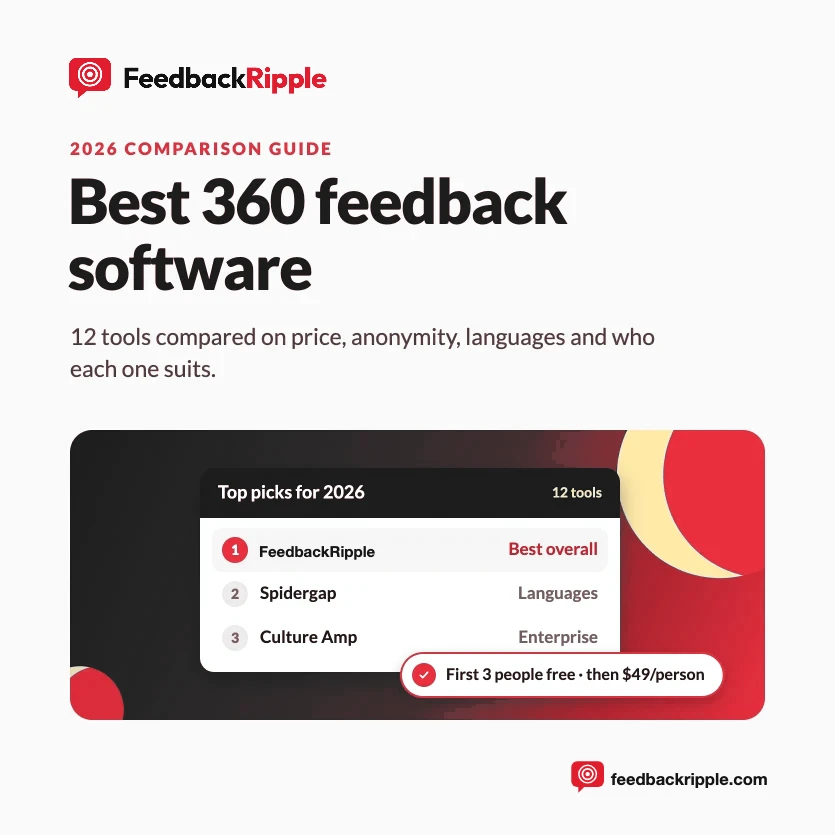
12 Best 360 Feedback Software Tools for 2026 (Compared)
12 Best 360 Feedback Software Tools for 2026 (Compared)
FeedbackRipple is the best 360 feedback software in 2026 for most coaches, HR and L&D teams. It turns feedback into a report that tells each person what to do next, keeps raters anonymous by how the data is stored, runs surveys in 15 languages, and follows up for 90 days with Lucy, its AI coach. Your first 3 people are free, and paid plans start at $49 per person.
Key takeaways
- FeedbackRipple is our top pick for coaches and HR teams: a report that says what to do next, anonymity built into how answers are stored, 15 survey languages and Lucy, a 90-day AI coach. Your first 3 people are free.
- Dedicated 360 tools charge per person reviewed. Performance suites charge every employee, every month, and some have minimums, like Lattice’s $4,000 a year.
- Need 100+ languages? Look at Spidergap or EchoSpan. Live in Microsoft Teams? Teamflect. Running company-wide listening? Qualtrics or Culture Amp.
- Keep 360s for development, not pay decisions, and check a tool’s anonymity rules before you buy.
Most 360 feedback ends the same way. People spend an hour answering honest questions, the person being reviewed gets a 20-page PDF of charts, and three months later nothing has changed. The problem is rarely the survey. It's what happens before and after it: whether raters trust that they're anonymous, and whether anyone helps the person turn scores into a plan.
So we didn't just compare price lists. We looked at the whole 360 from start to finish: setting it up, getting honest answers, reading the report and acting on it. We also looked at things most "best of" lists skip, like running a 360 in several languages, keeping data private across countries, and what you can do for free.
In this guide
- Which 360 feedback software is best?
- How do the tools compare?
- How we scored each tool
- 1. FeedbackRipple
- 2. Spidergap
- 3. Culture Amp
- 4. Lattice
- 5. Qualtrics EmployeeXM
- 6. Leapsome
- 7. 15Five
- 8. PerformYard
- 9. Teamflect
- 10. EchoSpan
- 11. CheckPoint 360°
- 12. Google Forms or SurveyMonkey
- Best picks by need
- Standalone 360 tool or performance suite?
- Global rollout checklist
- How much 360 feedback software costs
Which 360 feedback software is best?
Each tool suits a different kind of 360. Here are our picks by use case:
- FeedbackRipple: Best overall. A dedicated 360 tool for coaches and HR teams, with a report that says what to do next, anonymity built into how answers are stored, 15 survey languages and a 90-day AI coach. First 3 people free, then from $49 per person.
- Spidergap: Best for leadership 360s in many languages. A long-running dedicated 360 tool with clear reports and translation into 100+ languages, from $1,099 a year for 10 people.
- Culture Amp: Best for companies that already run engagement surveys. 360s sit inside a wider performance and engagement platform, priced by quote.
- Lattice: Best for 360s inside performance reviews. Peer feedback is part of each review cycle, with goals and 1-on-1s alongside.
- Qualtrics EmployeeXM: Best for large enterprises. Deep survey science and analytics for organizations with a people-analytics team and an enterprise budget.
- Leapsome: Best all-in-one platform for European teams. Berlin-based, modular, with reviews, goals, learning and surveys in one place.
- 15Five: Best for manager coaching and check-ins. 360s come with weekly check-ins and manager development, from $11 per user per month on Perform.
- PerformYard: Best for flexible review processes. Easy to shape around how your company already reviews people, including client and upward feedback.
- Teamflect: Best for Microsoft Teams users. Reviews and 360s run inside Teams and Outlook, with a free plan for up to 10 users.
- EchoSpan: Best for highly configurable 360 projects. A veteran 360 specialist with editions and paid add-ons for languages, analytics and SSO.
- CheckPoint 360°: Best ready-made leadership model. A fixed, research-based leadership survey from Wiley, usually run with a certified partner.
- Google Forms or SurveyMonkey: Best free DIY option. Fine for one or two informal 360s, as long as you can handle anonymity and reports by hand.
Disclosure: FeedbackRipple publishes this guide and is one of the tools in it. We put it first because it’s the option we know best for coaches and HR teams, and we list its limits as plainly as everyone else’s. Prices were checked in November 2026 from vendor pages and software directories; check the vendor’s own page before you buy.
How do the best 360 feedback tools compare?
Here's a side-by-side look at price, free options, languages and the kind of buyer each tool is built for. Prices are in USD and checked in November 2026. "Quote" means the vendor doesn't publish a price.
| Tool | Starting price | Free option | Type | Survey languages | Anonymity safeguards | Integrations | Best for |
|---|---|---|---|---|---|---|---|
| FeedbackRipple | $49 per person, or $469/yr for 12 people | Yes, first 3 people | Dedicated 360 | 15 | Answers stored with no link to raters, small groups merged, confidential mode on by default, comment privacy check | Slack, BambooHR, HiBob, Workday, Fireflies | Coaches, HR and L&D teams who want people to act on feedback |
| Spidergap | $1,099/yr for 10 people | One free trial 360 | Dedicated 360 | 100+ | Anonymized feedback, minimum group sizes | SSO on Pro | Leadership development, global teams |
| Culture Amp | Quote (per employee, annual) | No | Performance + engagement suite | Many | Reporting thresholds | HRIS, Slack, Teams | Mid-size and large companies |
| Lattice | $10/seat/mo (Performance), $4,000/yr minimum | No | Performance suite | Several | Anonymous peer feedback settings | HRIS, Slack, Teams | 360s inside review cycles |
| Qualtrics EmployeeXM | Quote | No | Enterprise experience platform | Many | Configurable thresholds | Workday, SAP and more | Large enterprises |
| Leapsome | Quote (per employee, modular) | 14-day trial | All-in-one people platform | Many | Anonymous reviews option | HRIS, Slack, Teams | European and global mid-size teams |
| 15Five | $11/user/mo (Perform) | No | Performance + engagement suite | Several | Anonymous options | HRIS, Slack, Teams | Manager coaching and check-ins |
| PerformYard | About $5–$10/person/mo (third-party estimates) | No | Performance management | English-first | Anonymous reviewer settings | HRIS | Custom review processes |
| Teamflect | $0 up to 10 users, then about $7–$14/user/mo | Yes, up to 10 users | Performance suite in Microsoft Teams | Several | Anonymous feedback option | Teams, Outlook, Planner, HRIS | Microsoft 365 companies |
| EchoSpan | Calculator; add-ons from $17/review | 14-day trial | Dedicated 360 | 100+ (paid add-on) | Rater minimums | SSO add-on | Configurable, larger 360 projects |
| CheckPoint 360° | Quote per participant (via partners) | No | Fixed leadership assessment | Several | Group minimums | None | Standard leadership model with a coach |
| Google Forms / SurveyMonkey | Free / $30 per user/mo | Yes | General survey tool | Any (you translate) | None built in | Sheets, exports | One-off, informal 360s |
Language counts and integrations come from each vendor's public pages. "Many" or "Several" means the vendor supports multiple languages but doesn't publish a single number we could confirm.
How we scored each tool
A 360 only works when raters are honest and the person does something with the results. So we scored every tool on six things that decide whether that happens, not on how long its feature list is:
- Report people can act on. Does the report explain what the scores mean and suggest next steps, or is it charts only?
- Anonymity safeguards. Minimum group sizes, protection against working out who said what, and help for raters who might give themselves away in a comment.
- Follow-through. Development plans, check-ins and a way to measure change after the report.
- Global readiness. Survey languages, data location, and how well it handles raters in different time zones.
- Price and fair start. Published prices, a free way to try it, and whether small teams and coaches can afford it.
- Admin effort. How long setup takes, and how much of the chasing and reporting is automatic.
| Tool | Actionable report | Anonymity safeguards | Follow-through | Global readiness | Price and free start | Admin effort |
|---|---|---|---|---|---|---|
| FeedbackRipple | ●●● Strong | ●●● Strong | ●●● Strong | ●●○ Good | ●●● Strong | ●●● Strong |
| Spidergap | ●●● Strong | ●●○ Good | ●●○ Good | ●●● Strong | ●●○ Good | ●●○ Good |
| Culture Amp | ●●○ Good | ●●○ Good | ●●○ Good | ●●● Strong | ●○○ Limited | ●●○ Good |
| Lattice | ●●○ Good | ●●○ Good | ●●○ Good | ●●○ Good | ●○○ Limited | ●●○ Good |
| Qualtrics EmployeeXM | ●●○ Good | ●●● Strong | ●●○ Good | ●●● Strong | ●○○ Limited | ●○○ Limited |
| Leapsome | ●●○ Good | ●●○ Good | ●●● Strong | ●●● Strong | ●○○ Limited | ●●○ Good |
| 15Five | ●●○ Good | ●●○ Good | ●●● Strong | ●●○ Good | ●●○ Good | ●●○ Good |
| PerformYard | ●●○ Good | ●●○ Good | ●●○ Good | ●○○ Limited | ●●○ Good | ●●● Strong |
| Teamflect | ●●○ Good | ●●○ Good | ●●○ Good | ●●○ Good | ●●● Strong | ●●● Strong |
| EchoSpan | ●●○ Good | ●●○ Good | ●●○ Good | ●●● Strong | ●●○ Good | ●●○ Good |
| CheckPoint 360° | ●●○ Good | ●●○ Good | ●●○ Good | ●●○ Good | ●○○ Limited | ●●○ Good |
| Google Forms / SurveyMonkey | ●○○ Limited | ●○○ Limited | ●○○ Limited | ●●○ Good | ●●● Strong | ●○○ Limited |
Scores reflect our reading of each vendor's public product pages, help centers, pricing pages and trials where one was available, checked in November 2026. FeedbackRipple is our product; see how we compared.
Tip: Before you commit to a yearly plan, run one real 360 in a free trial with 3 to 5 people. Watch how many raters finish, how comments read in the report, and whether the person knows what to do next.
1. FeedbackRipple: Best overall 360 feedback software
- Starting price: Free for your first 3 people, then $49 per person
- Best for: Executive coaches, HR and L&D teams
- Languages: 15 survey languages, comments translated
FeedbackRipple is a dedicated 360 feedback tool built around one idea: feedback is only useful if the person knows what to do next. Most 360 tools stop when the report is sent. FeedbackRipple covers the whole journey, from writing the questions to checking, 90 days later, whether anything changed.
It was built by a certified executive coach for two kinds of buyers: coaches who run 360s for their clients, and HR and L&D teams who run them across managers and leaders. Pricing is per person reviewed, and raters and questions are unlimited.
Key features
A report that says what to do next
Every report shows the person's top 5 strengths and top 5 areas to improve, blind spots and hidden strengths, and comments grouped by relationship. After each part comes plain-language guidance: what to try in the next 30 days and how you'll know it's working. A personal development plan is pre-filled with the areas that need most work. See the feedback report.
Anonymity built into the data
Answers are stored with no link back to who gave them. Groups smaller than 3 are merged into "All colleagues", so nobody can subtract one group from another to find a single rater. Confidential mode is on by default: admins see progress, not answers. Read how anonymity works.
A comment helper that protects raters
Before a rater submits, FeedbackRipple can point out comments that might reveal who wrote them (a date, a meeting, "as the only designer") and suggest safer wording. Suggestions stay hidden until the rater asks to see them, and the rater always decides.
Set up a 360 by describing it
Type one sentence, like "a new manager 360 for Maya, due in 3 weeks", and FeedbackRipple drafts the questionnaire, raters and deadline for you to review. You can also start from expert templates or a library of 82 questions in 18 themes. See AI 360 setup.
Surveys raters actually finish
One section per step, open questions at the end, a "Need help" button that answers common questions, and the option to pause and come back. Raters can answer in any of 15 languages, and their comments are translated into English in the report. See the rater survey.
Admin work that runs itself
Reminders go out on a schedule, you can see who hasn't answered, and FeedbackRipple warns you before closing if someone's report wouldn't have enough answers to stay anonymous. People can nominate their own raters for you to approve. See automation and integrations.
Group results and HR insights
For teams, FeedbackRipple rolls up results across a group, ranks the gaps that matter most and lets you ask plain questions, like "What changed since last year?". It can draft L&D recommendations from the grouped data, never from one person's answers. See HR insights.
Follow-through and impact
An impact survey asks the person's colleagues, weeks later, whether they've seen a change. You can re-run a 360 for the same person free within 12 months. See development plans.
Meet Lucy, the 90-day coach in every report
Lucy is FeedbackRipple's AI coach. After reading their report, the person can ask Lucy what a score means, pick 2 or 3 focus areas and turn them into a development plan. Lucy then checks in at 30, 60 and 90 days and can suggest a quick follow-up 360 to measure progress.
- Lucy only starts when the person chooses to, after agreeing to how it works.
- Lucy's conversations are private to the person. Admins never see the plan or the chat.
- Lucy is designed around the ICF Core Competencies and Code of Ethics. Your coach or manager is still the one who decides.
Works with the tools you already use.
- Slack: invitations and reminders as direct messages, and short surveys answered right inside Slack
- BambooHR, HiBob and Workday: fill each person's raters from your org chart
- Fireflies: use meeting notes as context when drafting a 360
- Google and Microsoft sign-in, plus your own logo and colors on surveys, reports and emails
Pros
- The only tool here whose report ends in clear next steps and a ready-made development plan
- Anonymity rules are built into how answers are stored, not just how they're displayed
- Follows up for 90 days with Lucy, check-ins and an impact survey
- Published prices, first 3 people free, no credit card
- Usually less than half the price of other dedicated 360 tools
- AI only runs when someone clicks, and your data isn't used to train AI models
Cons
- A newer product, so it has fewer third-party reviews than long-running tools
- 15 survey languages, fewer than the 100+ offered by Spidergap and EchoSpan
- Hosted on AWS in Sydney; there's no choice of US or EU data location yet
- SSO is on the roadmap but not available yet
- Not a full performance suite: no OKRs, compensation or payroll
Who it's best for
Executive and leadership coaches who want a professional 360 for each client without paying enterprise prices, with their own logo and separate client workspaces. HR and L&D teams running 360s for managers and leaders who want results to turn into development, not a filed PDF. Small and mid-size companies that want a dedicated 360 tool rather than a whole performance suite.
Pricing
- Free trial: your first 3 people reviewed, every feature, no card
- Pay as you go: $49 per person, no subscription
- Coach: $469 a year for 12 people, then $39 each
- Team (most popular): $1,069 a year for 30 people, then $29 each
- Enterprise: from $5,029 a year for 250 people, then $19 each
Yearly plans can also be paid monthly. See full FeedbackRipple pricing.
FeedbackRipple · First 3 people free
Try FeedbackRipple free
Set up a 360 by describing it in one sentence, invite raters and get a report that says what to do next. Your first 3 people are free, no credit card.
2. Spidergap: Best for leadership 360s in many languages
- Starting price: $1,099/yr for 10 people
- Best for: Leadership development, global teams
- Languages: 100+
Spidergap has been running 360s since 2011 and is one of the best-known dedicated 360 tools. Its reports are easy to read, with a clear summary of strengths, development areas and blind spots, plus a development plan. Its biggest strength for global buyers is translation into more than 100 languages.
Key features
- Best-practice questionnaire template you can fully change
- Employee-friendly report with a personal development plan
- Your own logo, anonymized feedback and translation into 100+ languages
- Free reassessment within 12 months and help from 360 experts
- ISO 27001 certified, with EU hosting
Pros
- Proven, focused 360 tool with a strong reputation
- Excellent language coverage
- One free trial 360 with expert support
Cons
- Starts at $1,099 a year, even if you only need 3 people
- No AI help for setup, comments or follow-up that we could find on its public pages
- Follow-up after the report is mostly up to you
Pricing
Starter is $1,099 a year for 10 people, then $89 each. Pro is $2,199 a year for 10 people, then $59 each, and adds self-enrollment and SSO. Enterprise is by quote. Compare in detail: FeedbackRipple vs Spidergap.
3. Culture Amp: Best for companies already running engagement surveys
- Starting price: Quote, per employee, billed yearly
- Best for: Mid-size and large companies
- Type: Performance + engagement suite
Culture Amp is best known for engagement surveys. Its Perform module adds performance reviews with 360, peer and manager feedback, goals and 1-on-1s, and its Develop module covers individual, leadership and manager 360s. If you already use Culture Amp for engagement, adding 360s keeps everything in one place.
Key features
- 360, peer and manager feedback within review cycles
- Leadership and manager 360 templates backed by people science
- Strong analytics and benchmarks across engagement and performance
- AI help for writing and summarizing feedback
Pros
- Combines engagement and performance data
- Well-researched templates
- Good for large, multi-country companies
Cons
- No public pricing; a third-party estimate puts the minimum around $4,500 a year
- Priced per employee, so you pay for everyone, not just the people reviewed
- More platform than a coach or small team needs
Pricing
Quote only, billed yearly per employee and by module (Engage, Perform, Develop). See FeedbackRipple vs Culture Amp.
4. Lattice: Best for 360s inside performance reviews
- Starting price: $10/seat/month (Performance)
- Best for: Companies standardizing review cycles
- Minimum: $4,000 a year
Lattice is a popular performance management platform. Its 360 feedback lives inside review cycles: people nominate peers, managers approve, and the feedback sits beside self and manager reviews. It's a good choice if your 360s are part of your regular review process rather than separate development projects.
Key features
- Peer, upward and self reviews in one cycle, with calibration
- Goals and OKRs, 1-on-1s and growth plans
- An AI agent for HR and manager tools
- Strong HRIS and Slack integrations
Pros
- Polished, widely adopted product
- Everything performance-related in one place
- Published per-seat prices
Cons
- $4,000 yearly minimum and annual billing only
- 360s are tied to reviews, which can make raters less candid
- Not built for coaches running 360s for outside clients
Pricing
Performance is $10 per seat per month and Foundations (Performance plus Goals) is $13, billed yearly, with a $4,000 minimum. See FeedbackRipple vs Lattice.
5. Qualtrics EmployeeXM: Best for large enterprises
- Starting price: Quote
- Best for: Enterprises with people-analytics teams
- Type: Employee experience platform
Qualtrics is a survey research powerhouse. Its 360 Development offering runs on the same platform as engagement, pulse and lifecycle surveys, so 360 results can sit alongside everything else you know about the employee experience. It's built for scale, closing skill gaps across thousands of people.
Key features
- 360 development programs on the same data layer as engagement and lifecycle surveys
- Advanced analytics, text analysis and dashboards
- Deep integrations with enterprise HR systems
- Expert frameworks and services
Pros
- Enterprise-grade analytics and security
- Handles very large, global programs
- One platform for all employee listening
Cons
- Quote-only pricing, priced by employee count
- Setup often needs a project team or partner
- Far more than a coach or small company needs
Pricing
Quote only. 360 Development is priced by number of employees as part of the EmployeeXM suite.
6. Leapsome: Best all-in-one platform for European teams
- Starting price: Quote, per employee, by module
- Best for: Mid-size companies in Europe and beyond
- Trial: 14 days
Leapsome is a Berlin-based people platform that combines reviews and 360s with goals, engagement surveys, learning, 1-on-1s and compensation. Its 360s connect to learning: feedback can lead to suggested learning paths. European buyers often shortlist it for its GDPR-minded approach.
Key features
- Performance reviews and 360s with templates for leadership reviews
- Learning paths recommended from feedback
- Goals, OKRs, surveys and 1-on-1s in one platform
- AI copilot and summaries
Pros
- Very broad, connected feature set
- Strong fit for European data expectations
- Links feedback to learning
Cons
- Modular per-employee pricing adds up quickly
- One-year minimum contracts
- Heavy for teams that only want 360s
Pricing
Leapsome doesn't publish a full price list. Its HRIS foundation was listed at about $7 per employee per month in October 2026, with each module priced on top. Expect a quote.
7. 15Five: Best for manager coaching and check-ins
- Starting price: $11/user/month (Perform)
- Best for: Companies building manager habits
- Free plan: No
15Five is built around weekly check-ins and manager effectiveness. Its Perform plan adds performance reviews, 360 feedback, goals and career paths. 360s here are part of a continuous performance rhythm rather than standalone development projects.
Key features
- 360 feedback within performance reviews
- Weekly check-ins, 1-on-1s and recognition
- Manager training and an HR outcomes dashboard on Total Platform
- AI help for reviews and managers
Pros
- Published prices with no minimum seats
- Strong focus on managers and ongoing habits
- Engagement and performance together
Cons
- You pay per user for everyone, not per person reviewed
- 360s aren't the main focus
- No free plan
Pricing
Engage is $4, Perform (with 360s) is $11 and Total Platform is $16 per user per month, billed yearly.
8. PerformYard: Best for flexible review processes
- Starting price: About $5–$10/person/month (estimates)
- Best for: HR teams with their own review process
- Free trial: No
PerformYard lets HR shape reviews around how the company already works, rather than forcing a fixed process. 360s can include peers, direct reports and even clients, and the tool handles sign-offs and reminders. Reviewers like how simple it is for employees.
Key features
- 360, upward, peer and external client reviews
- Flexible review cycles with sign-off routing
- Goals, check-ins and 9-box reporting
- Optional AI writing help
Pros
- Very flexible review design
- Easy for employees to use
- Responsive support
Cons
- No public price list, no free trial, and an annual minimum
- Light on development guidance in reports
- English-first
Pricing
Quote. Third-party sources put it at roughly $5 to $10 per person per month, billed yearly.
9. Teamflect: Best for Microsoft Teams users
- Starting price: Free up to 10 users
- Best for: Microsoft 365 companies
- Works in: Teams and Outlook
Teamflect runs reviews, goals, 1-on-1s and 360 feedback inside Microsoft Teams. If your company lives in Teams, people can request and give feedback without opening another app. It also supports external and anonymous feedback, with AI summaries.
Key features
- 360 feedback and instant feedback in Teams chat
- External and anonymous feedback
- Tasks synced with Planner and To Do
- AI-assisted feedback summaries
Pros
- Very easy adoption for Teams users
- Free plan for up to 10 users
- Affordable paid plans
Cons
- Much less useful outside Microsoft 365
- A performance suite first, with lighter 360 reports
- Prices vary between sections of its pricing page
Pricing
Starter is free for up to 10 users. Paid plans run roughly $7 to $14 per user per month, with about 22% off for yearly billing.
10. EchoSpan: Best for highly configurable 360 projects
- Starting price: Calculator on its site
- Best for: Larger or complex 360 programs
- Trial: 14 days
EchoSpan has specialized in 360s since 2005. It offers three editions (360 Essentials, Professional and Professional Plus) and lots of options, from competency libraries to custom reports. Many extras are paid add-ons, so the final price depends on what you switch on.
Key features
- Competency library and configurable reports
- Multi-language surveys in 100+ languages (add-on)
- Insights toolkit and project management help (add-ons)
- SSO and enterprise support (add-ons)
Pros
- Long track record in 360s
- Highly configurable
- Wide language support
Cons
- Base prices sit behind a calculator
- Add-ons cost extra: multi-language $17 per review, insights $44 per review, SSO $1,200 a year
- Older-feeling interface
Pricing
Use the calculator on its site. Directories list editions from about $6 per user per month. See FeedbackRipple vs EchoSpan.
11. CheckPoint 360°: Best ready-made leadership model
- Starting price: Quote per participant
- Best for: Coach-led leadership programs
- Sold by: Wiley partners
CheckPoint 360° is a fixed leadership survey from Wiley, with about 70 questions across a set of core leadership competencies such as communication, adaptability, task management and developing others. You don't write questions; you use a tested model. It's usually bought and debriefed through a certified partner or coach.
Pros
- Research-based leadership model
- Consistent results across leaders
- Good fit with coach-led programs
Cons
- You can't fit questions to your own values or roles
- Pricing and access go through partners
- A long survey for raters
Pricing
Priced per participant through Wiley's partners. Ask a partner for a quote.
12. Google Forms or SurveyMonkey: Best free DIY option
- Starting price: Free (Google Forms)
- Best for: One-off, informal 360s
- SurveyMonkey: $30/user/month, 3-user minimum
You can run a basic 360 with a general survey tool: one form per person, a link per rater group, and a spreadsheet to pull results together. It costs nothing with Google Forms, and it works for one or two informal 360s.
Pros
- Free or already paid for
- Fully flexible questions
- Familiar for raters
Cons
- No anonymity rules: small groups can expose raters
- Every report is built by hand
- No reminders per rater, plans or follow-up
Pricing
Google Forms is free. SurveyMonkey Team Advantage is $30 per user per month, billed yearly, with a 3-user minimum. Read running 360s in SurveyMonkey or Google Forms before you start, or grab our free 360 feedback survey template.
Best 360 feedback software by need
Best free and budget 360 feedback software
FeedbackRipple lets you review your first 3 people free with every feature, then pay $49 per person with no subscription. Teamflect is free for up to 10 users if you work in Microsoft Teams. Google Forms is free if you're happy to handle anonymity and reports yourself. Spidergap's free trial covers one 360.
Best for executive and leadership coaches
FeedbackRipple's Coach plan ($469 a year for 12 clients) adds your logo, separate client workspaces and report approval before release. Spidergap and CheckPoint 360° are well-known alternatives, at higher prices per person. See 360 feedback for executive coaches.
Best for small and mid-size businesses
FeedbackRipple (Team plan, 30 people for $1,069 a year) for dedicated 360s; 15Five or PerformYard if you also want a full review process.
Best for enterprises
Qualtrics EmployeeXM and Culture Amp for company-wide listening programs. FeedbackRipple Enterprise covers 250 people from $5,029 a year with Workday sync and invoice billing, if you want dedicated 360s without an enterprise suite.
Best for leadership development 360s
Leadership 360s work best when they're about growth, not ratings for pay. FeedbackRipple (leadership and senior leader templates, guidance and a 90-day plan), Spidergap and CheckPoint 360° are built for this. See our leadership 360 assessment.
Best for Microsoft Teams or Slack companies
Teamflect if you live in Microsoft Teams. FeedbackRipple if you use Slack: invites and reminders arrive as direct messages, and short surveys can be answered without leaving Slack.
Best for global teams
Spidergap and EchoSpan for the widest language coverage. FeedbackRipple for 15 languages with comments translated into English in the report, so a manager in New York can read feedback written in Spanish or Japanese.
Standalone 360 tool or performance suite: how to choose
360 tools come in two kinds, and picking the wrong kind is the most common mistake buyers make.
A standalone 360 tool (FeedbackRipple, Spidergap, EchoSpan, CheckPoint 360°) does one thing well: collect honest feedback from several groups and turn it into a development report. You pay for the people you review, and you can run it whenever you need it, for a leadership program or a coaching client.
A performance suite (Lattice, Culture Amp, 15Five, Leapsome, PerformYard, Teamflect) includes 360s as one part of reviews, goals, check-ins and sometimes compensation. You pay per employee for everyone, every year.
| Choose… | If you… |
|---|---|
| A standalone 360 tool | Run 360s for development, leadership programs or coaching clients; review a subset of people; want stronger anonymity and better reports; already have an HRIS or review tool |
| A performance suite | Want one system for reviews, goals and 1-on-1s across the whole company; are ready to pay per employee; are happy for 360s to be part of formal reviews |
One warning: mixing 360s with pay or promotion decisions tends to make raters less honest. Many organizations keep 360s for development only, even when they own a suite. For more on this, read how to choose 360 feedback software.
Global 360 rollout checklist
Running a 360 across countries adds a few things most guides skip. Use this list before you choose a tool:
- Languages: Can raters answer in their own language? Are comments translated for the person and their coach, or left untranslated?
- Data location: Where are answers stored, and does that meet your rules? EU companies often ask for EU hosting; check before you sign.
- GDPR and privacy notices: Is there a data processing agreement? Can you delete a 360 and everything in it when you're done?
- AI and your data: If the tool uses AI, is your data used to train models? Can AI be switched off or left unused?
- Anonymity in small teams: Remote and regional teams are often small. Does the tool merge small groups automatically?
- Time zones: Do deadlines and reminders use each organization's time zone?
- Cultural fit of the scale: Some cultures avoid the top or bottom of a scale. Choose clear, behavior-based questions and word labels, not just numbers.
- Manager visibility: In some countries, works councils or local law restrict what managers can see. Check confidential or private-report settings.
Tip: If your raters speak different languages, keep questions short and behavior-based, like “Gives clear feedback in one-to-ones”. Short, concrete questions translate far better than long ones.
What should you look for in 360 feedback software?
- Anonymity that holds up. Minimum group sizes, no way to filter results down to one rater, and help for raters writing comments.
- Good questions. A library and templates with one observable behavior per question, so feedback is specific.
- Easy for raters. Short, mobile-friendly surveys in their language, with a way to stop and come back.
- A report people understand. Plain words, top strengths and gaps, and suggestions for what to do next.
- Follow-through. A development plan, check-ins and a way to measure change.
- Less admin. Automatic reminders, rater nominations and org-chart sync.
- Fair, clear pricing. Published prices and a way to try before you buy.
How much does 360 feedback software cost?
Most dedicated 360 feedback software costs about $20 to $110 per person reviewed per year. Dedicated 360 tools usually charge per person reviewed, while performance suites charge $4 to $16 per employee per month for everyone. Free options exist for small teams.
- Free: FeedbackRipple (first 3 people), Teamflect (up to 10 users), Google Forms.
- Dedicated 360 tools: FeedbackRipple from $49 per person or $469 a year for 12; Spidergap from $1,099 a year for 10; EchoSpan by calculator plus add-ons; CheckPoint 360° per participant through partners.
- Performance suites: 15Five $11 per user per month (Perform), Lattice $10 per seat per month with a $4,000 minimum, and Culture Amp, Leapsome, PerformYard and Qualtrics by quote.
Here's what 30 people reviewed costs for a year in a few common setups:
| Setup | Cost for 30 people a year |
|---|---|
| FeedbackRipple Team | $1,069 |
| Spidergap Starter (10 + 20 × $89) | $2,879 |
| Lattice Performance (if you have 30 employees) | $4,000 (minimum applies) |
| 15Five Perform (company of 100 employees) | $13,200 |
How we compared these tools
We compared each tool on the six areas in our scoring: actionable reports, anonymity safeguards, follow-through, global readiness, price and admin effort. Competitor details come from each vendor's public website, pricing page, help center and free trial where available, and from software directories such as Capterra and G2, checked in November 2026. We'll update this guide every month as prices and features change.
FeedbackRipple is our product, and we've ranked it first. Every other tool is described as fairly as we can from public information, including where it's the better choice. If you spot something out of date, email hello@feedbackripple.com.
First 3 people free · No credit card
Run a 360 people actually act on
Anonymous by design, a report that says what to do next, and Lucy to follow up for 90 days. Try every feature with your first 3 people, then pay only for the people you review.